Posts

Understanding vm.swappiness: Improving Linux Performance and Memory Management

Image
As a Linux user, you may have stumbled across the enigmatic 'vm.swappiness' setting when examining your system's configuration. The variable 'vm.swappiness' is important in Linux memory management because it affects how your system handles virtual memory and swap space. In this blog post, we'll debunk 'vm.swappiness' and look at how it affects system performance. So, let's plunge into the world of Linux memory management and expose the secrets of vm.swappiness .

Installing TMUX on AlmaLinux 9.2 - A Comprehensive Guide on Terminal Magic with TMUX

Image
As a Linux user, you've probably found yourself juggling multiple tasks in the terminal, switching between various terminal windows, or longing for a way to keep your terminal sessions persistent even after logging out. Enter TMUX, a powerful terminal multiplexer that can revolutionize the way you work in the command line. In this guide, we'll explore the wonders of TMUX and show you how to install it on AlmaLinux, along with tips to enable mouse click support.

How to Check AlmaLinux Version on the Command Line: A Quick Guide

Image
As a system administrator or a curious user, knowing the version of your operating system is crucial for troubleshooting, compatibility, and staying up-to-date with the latest features and security updates. AlmaLinux, a popular CentOS/RHEL-based Linux distribution, provides a straightforward method to check its version using the command line. In this tutorial, we'll walk you through the steps to check the AlmaLinux version on the command line.

How to Add a Sudo User on AlmaLinux 9.2 (Turquoise Kodkod): A Step-by-Step Guide

Image
As a system administrator, one of the essential tasks in managing a Linux server is granting users administrative privileges through the "sudo" command. AlmaLinux, a robust and secure Linux distribution, follows the same principles as other CentOS/RHEL-based systems for managing users and permissions. In this tutorial, we'll walk you through the process of adding a sudo user on AlmaLinux 9.2.

The Basics of Shell Scripting

Image
Welcome to the exciting world of shell scripting! In this blog post, we'll dive into the basics, equipping you with the essential knowledge to kickstart your journey as a shell scripting enthusiast. Let's begin with an introduction to different shell options and explore the fundamental components that form the backbone of every shell script.

Chapter 5: Cloud Storage and Scalability - Where the Magic Happens

Image
Ah, welcome back, mystical travelers! Now that you've chosen your magical cloud partner, it's time to explore the secrets of cloud storage and scalability - the very essence of where the magic happens in the cloud.

Chapter 4: Getting Started with Cloud Providers - Picking Your Partner in Crime

Image
Greetings, magical travelers! Now that you're all set to embark on your cloud adventure , it's time to choose your perfect partner in crime - a cloud service provider! Just like finding the ideal magical companion, selecting the right cloud provider is essential for a successful journey into the cloud.

Chapter 3: Benefits and Challenges of Cloud Adoption - Is it Worth it?

Image
Hey there, cloud pioneers! Now that we've dipped our toes into the enchanting world of cloud services , it's time to weigh the pros and cons of embracing this magical realm. Is cloud adoption truly worth it? Let's find out!

Bash Tricks Of The Day: Brace Expansion

Image
Welcome, Linux enthusiasts, to another exciting episode of "Bash Tricks Of The Day"! Today, we'll explore a powerful and time-saving feature of bash known as Brace Expansion. Brace yourself for this mind-bending trick that will level up your command line wizardry!

Chapter 2: Cloud Services Explained - It's Like Magic!

Image
Welcome back, fellow cloud wanderers! This is the Chapter 2 of our Mastering the Cloud: Your Ultimate Guide to Embracing Cloud Computing article. Now that we have our heads in the clouds, it's time to discover the magical services that make the cloud truly enchanting. Get ready to be amazed, because cloud services are like a magical hat full of tricks, each one more incredible than the last!

Chapter 1: Understanding the Cloud - What on Earth is it?

Image
Hey there, curious cloud enthusiasts! Thank you for following this blog. This is the continuation of my previous post about Mastering the Cloud: Your Ultimate Guide to Embracing Cloud Computing . Are you ready to dive into the world of cloud computing? Great! Let's start by unraveling the mystery of the cloud - you know, that ethereal place where data seems to disappear and reappear like magic.

Mastering the Cloud: Your Ultimate Guide to Embracing Cloud Computing

Image
Hey there! I'm back again on this blog. I've been busy doing things in the cloud and a little tired of explaining what is Cloud Computing. So, here we are as usual, to our explanation wall. Welcome to the ultimate guide on mastering the cloud! If you're new to this whole cloud computing thing, don't worry - I've got you covered. In this guide, we'll break down everything about cloud computing in a friendly and approachable way, so you'll become a cloud expert in no time! 

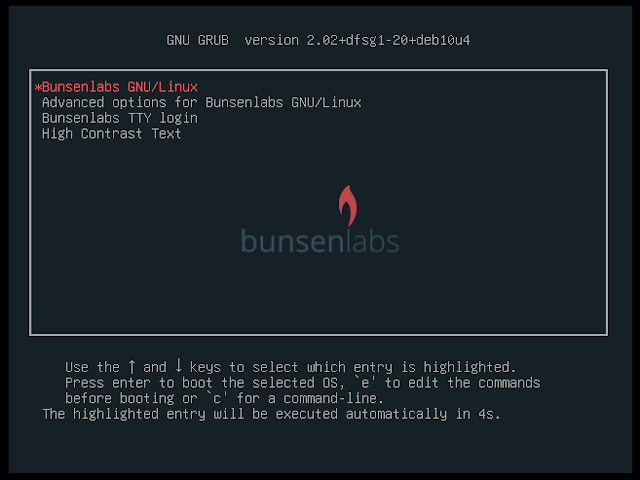
Setting Display Resolution Permanent on BunsenLabs Linux Lithium with xrandr

Image
I've been using BunsenLabs linux in my qemu/kvm for my tinkering because I like how BunsenLabs Linux is light-weight and easily customizable. It is based on Debian like Ubuntu. Other RPM based distro like Red Hat, Fedora, Rocky are great too. But I just love how simple and minimalist BunsenLabs is when working with desktop. Perhaps it answers the same like why I prefer Alpine Linux while working on docker.

Check which route for specific domain in Linux

Image
Working from home during pandemic, requires most of us to connect to office network through VPN. Some of us are getting used to having multiple VPNs to multiple site offices. When connected to VPN, most of the time that this VPN connection routed all of our traffic through their VPN connection which is not what we want because our home internet is much faster and is not restricted to certain office policies.

Bash Scripting - How to Concatenate Strings

Image
Somewhere around 1989, Brian Fox created Bash as a free software substitute for the Bourne shell for the GNU Project . It is a command processor, usually running in a text window, where the user can write commands that cause actions. Bash can also read and execute commands from shell script files . It supports filename globbing (wildcard matching), piping, here documents, command substitution, variables, and control structures for conditional testing and iteration, as do other Unix shells.

Caching Youtube Using Squid Caching Proxy

Image
I'm doing quick post today as I'm quite busy right now. But I don't want to make my friend Piju disappointed as he request me (quite so long... sorry heheh) about my changes on his previous squid.conf to cache youtube which is not working anymore since youtube make some changes on their video URL.

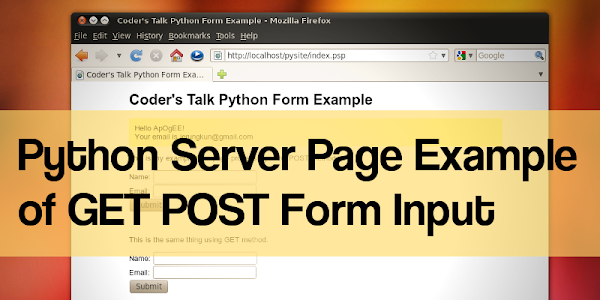
Python Server Pages Example of GET POST Form Input

Image
Previously, I've talked about mod_python.publisher method of creating a simple website using Python . And this time, I will talk about mod_python.psp where PSP stands for Python Server Pages .

Python Code to Get IP Address From Interface Name

Image
From my previous code on How To Print Active Network Interface List in Linux using Python , I got this question. Question from jimchris: Nice work, now how do we get ip address from ifacedata? My Answer:

VBScript Get File Extension

Image
Before anything else, you may love to read this book too!... Actually, I got this question from the reader of my previous blog post about VBScript to Replace Underscores in Filename with Spaces for All Files in a Folder , and I decided to answer it here.

HitungHari - PHP Countdown Banner Application

Image
The ideas developed since my previous Countdown Banner for MOSC2011 . I have made some modification on the source code and then it spark me an idea to share the source code as open source too. Therefore, I clean up my messy code, make some documentation and comments so people can reuse the code. And I name it as HitungHari .